Molar’s AI agents test your web app in a real browser, from sign-in and checkout to the emails, payments and webhooks behind them, and show you the step that broke.
Molar is one browser platform with a product for each job. Cartographer explores your app and records each step. Clones stand in for Stripe, email, SMS and sign-in. Guard runs your checks on pull requests and on a schedule. Trace shows the step behind a failure. Mender, in preview, suggests a fix.
Cartographer
Explore signup, checkout and the screens between.
Start with your app’s URL. Explore signup, checkout, and the screens behind them, then inspect the map of what Molar reached.
One account. Three connected services.Illustrative example
Virtual timeTrial ends → renewal begins
PaymentCard declinedrequires_payment_method
WebhookRetry queuedattempt: 2
Test inboxPayment reminder1 message
Restore the snapshot. Try the next case.
Service records that explain what happened after the click.
Guard
Run your checks on every pull request.
Run your scenarios against each pull request’s preview, or on a schedule against your live site. Open the failed check to see which customer action broke.
The step, response, and screenshot behind the result.
See a real run, step by step.
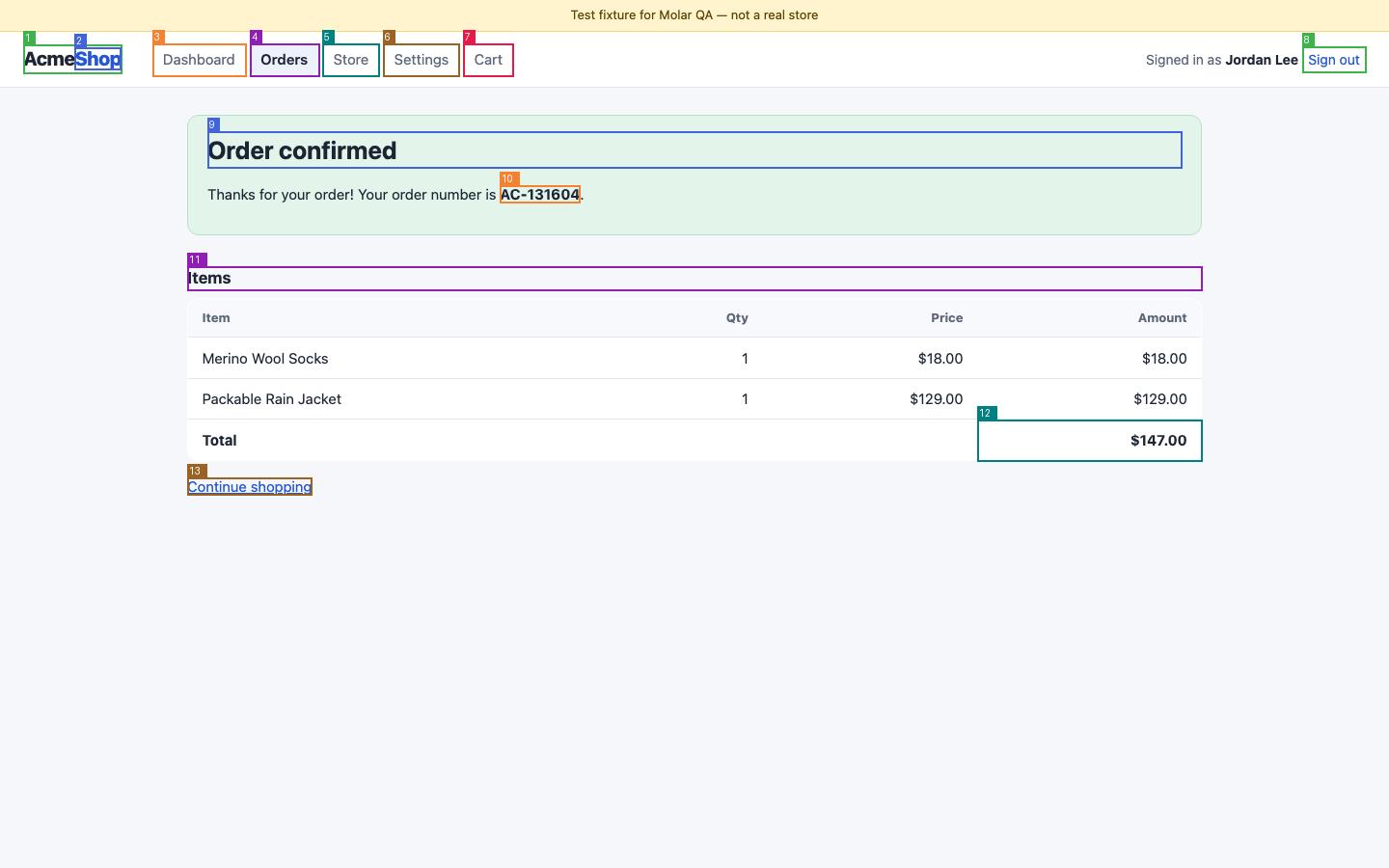
Molar’s browser agent signs in to a test store, adds two items, pays in test mode and checks the order. Every step’s screenshot, the result and the Playwright test it exported.
Paste this into Claude Code, Codex, or Cursor from your project.
Read the prompt
Set up Molar for this project using https://docs.molar.it/docs/getting-started/for-agents and https://docs.molar.it/docs/getting-started/install.

Run npx molar-agent init --json from the project root. Inspect existing configuration before editing it. Follow the documented CLI installation and authentication steps; ask me for any credentials or access you need and never put secrets in source files.

Once configured, check that this app loads at its local development URL. Use the documented execution mode that can reach that URL. Read the actual result and captured steps, report any failure or setup blocker, and suggest the next check. Do not claim a check passed without a completed result.
Molar opens your app in a real browser and checks tasks such as signing in, submitting a form, or completing checkout. Clones provide test versions of payment, email, SMS, authentication, and storage services for the supported integrations behind those tasks.
Is Molar only for apps with lots of integrations?
You can start with a simple form or page check. Add Clones when you need to test what happens after a payment, verification email, or file upload.
How are Clones different from API mocks?
A mock usually returns a prepared response. A clone remembers the records your test creates. For example, create a subscription, advance its clock, and inspect the renewal event. Each clone supports a documented set of service behavior.
Can I keep using Playwright?
Yes. Keep your existing Playwright tests and run Molar browser checks alongside them. Exported tests are plain Playwright and in beta, so review each one before adding it to your suite.
Can my coding agent use Molar?
Yes. Molar exposes CLI commands and MCP tools for browser tasks, verification, extraction, and trace inspection. Your agent can read the run status, captured screenshots, and trace details before trying again.
How do I get started?
Create a free workspace and describe the first flow to test. Molar is free during the beta, with up to 25 hosted runs a day per organization. We can help you connect your app on a call. To try it without an account, run a check on a public page.
Start with the flow your customers rely on.
Create a free workspace and describe the flow to test. We can help you set up sign-up, checkout or another test on a call.